Panorama
What is it?
YuJa Panorama is UAB’s Canvas accessibility platform. Panorama scans Canvas course content to evaluate content for accessibility and provides remediation assistance for inaccessible content.
How to Access
Note for users of screen readers: Letters in parentheses in the instructions below refer to corresponding areas on example images. If you have any questions about these instructions, contact the Office of Learning Technologies for assistance opens a new website.
Instructors
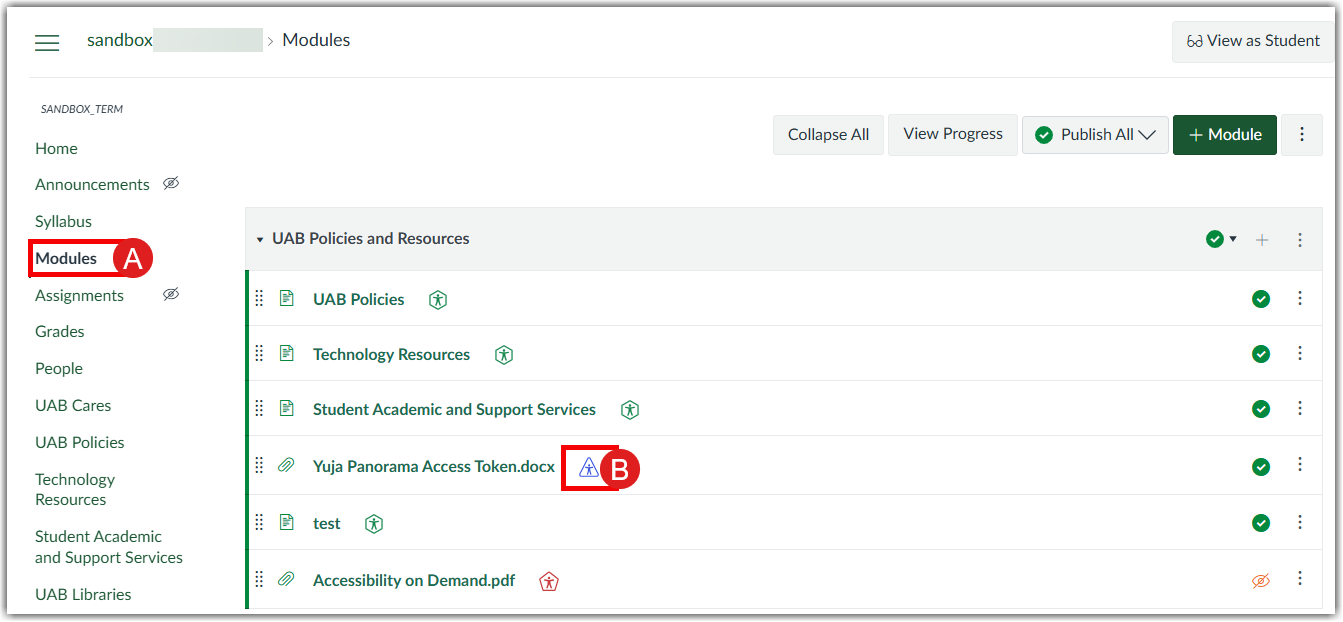
Faculty can access YuJa Panorama in the Modules (A) by selecting the Accessibility icon (B) beside the content items.
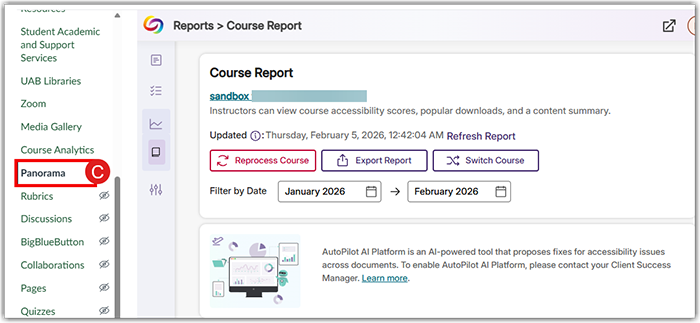
Faculty can also access the course report in the Panorama(C) item of the navigation menu.
Students
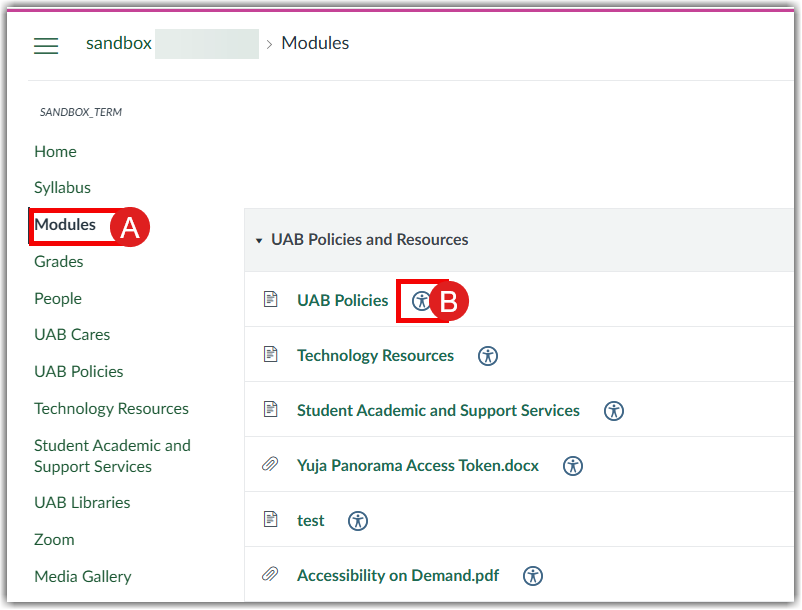
Students have access to Alternative Formats for converting course content in the Modules (A) into other forms (Braille, audio, etc.) by clicking the Accessibility icon (B) beside course content.
FAQ
Alternative formats are a feature allowing students to download copies of course materials in more accessible formats.
Guides & Tutorials
- Quick Start Guide for Accessible Content in Canvas Instructors
- Getting Started with Panorama for Instructors opens a new website Instructors
- Understanding Accessibility Score Icons opens a new website Instructors
- Adding Alt Text to Images in Canvas Using Panorama opens a new website Instructors
- Alternate Formats for Students Students
- Getting Started with YuJa Panorama for Students opens a new website Students