UAB Libraries
What is it?
Canvas allows instructors to link to UAB Library resources such as their Library Guides. These guides can even be customized for your course.
How to Access
Course Navigation
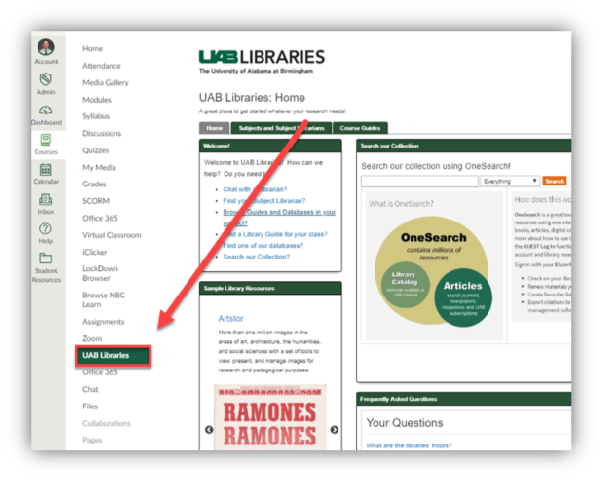
Canvas courses automatically have a course navigation link called “UAB Libraries” that allow instructors and students to access UAB Library Guides within Canvas. The content that is displayed is automatically curated based on your course name or will default to the home page of UAB libraries. If you would like to have UAB libraries curate where your UAB Libraries course navigation link goes to in your Canvas course, please contact
Embedded Specific UAB Library Content
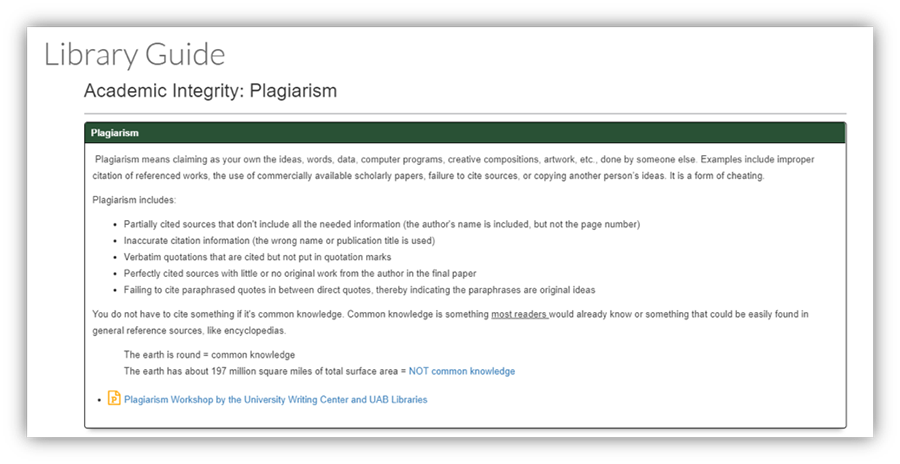
Instructors can also embed specific guides or content into a module or page inside of Canvas. Options include embedding a full library guide, a single page from a guide, or a specific content box from a library guide.