Note for users of screen readers: Letters in parentheses in the instructions below refer to corresponding areas on example images. If you have any questions about these instructions, contact the Office of Learning Technologies for assistance opens a new website.
There are two ways to launch Stukent within a course as a student.
Option 1
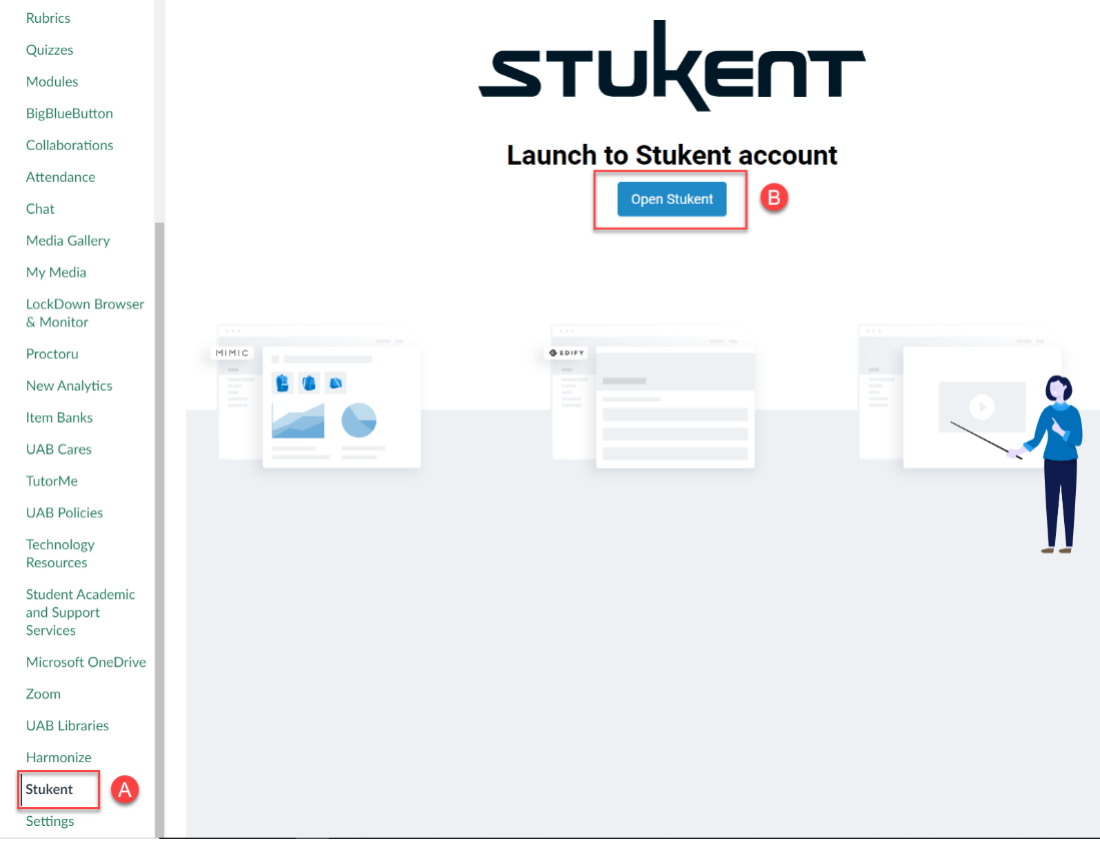
- First, select Stukent (A) from the left-hand course navigation menu. You should see the Stukent launch screen displayed. Click the “Open Stukent” (B) button.
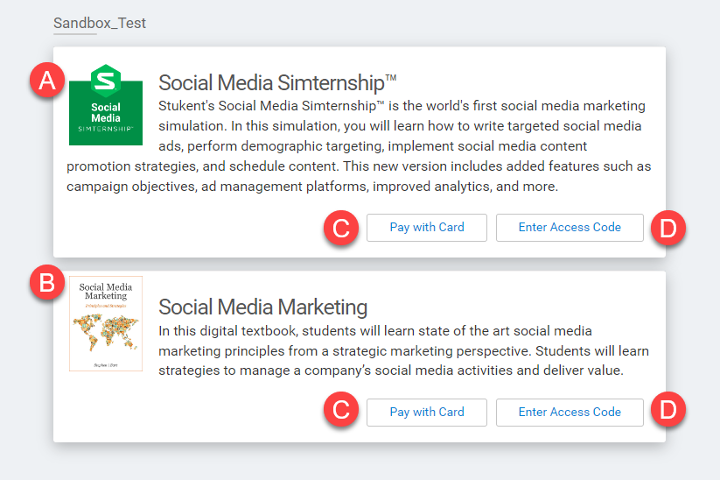
- If you have not purchased the Stukent access code for your course, you will see a screen like the one below displaying the course materials (A) and (B), as well as buttons to either “Pay with Card” (C) or “Enter Access Code” (D). If you purchased Stukent materials through the UAB Bookstore, an access code was provided with purchase, and you should select this option and enter the code. If you did not purchase Stukent materials through the bookstore, select the “Pay with Card” (C) button to purchase directly from Stukent.
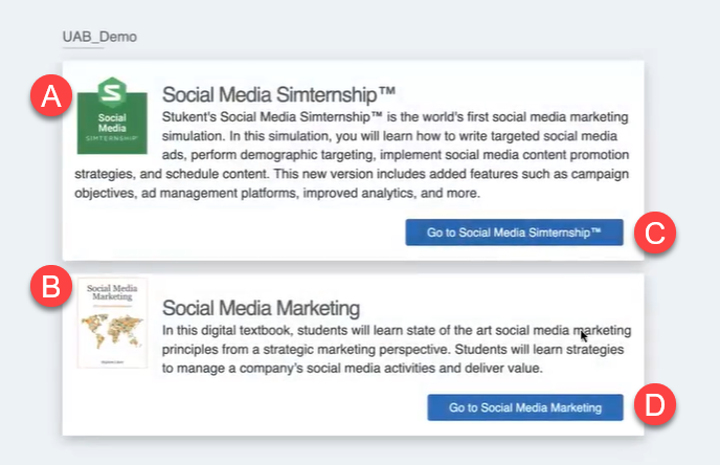
- Once you’ve entered your access code or paid with a card, you will see your purchased course materials (A) and (B) with launch buttons (C) and (D) for each material.
Option 2
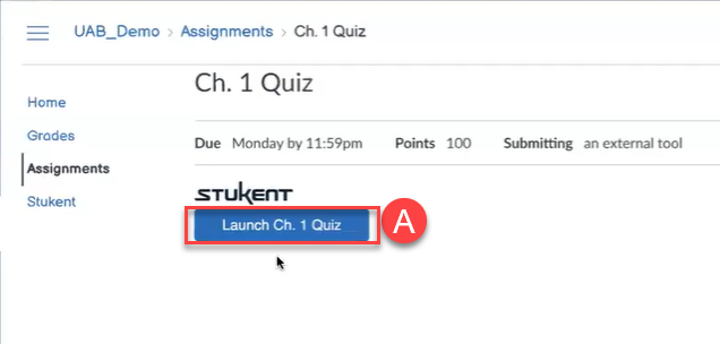
- The second method for launching Stukent is to select a Stukent assignment (A) within the course.
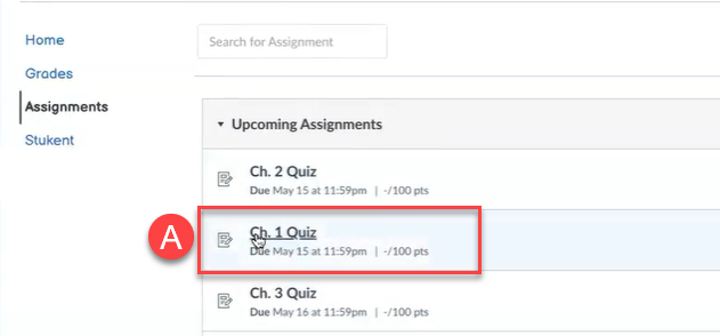
- Next you will see a screen displaying the Stukent logo and assignment launch button (A). Once selected, the Stukent assignment will open within its respective Stukent course material.