Drieam (Qualtrics LTI)
What is it?
Qualtrics LTI by Drieam is a plug-in (LTI app) for Canvas. Using Qualtrics LTI, institutional research professionals, department administrators, and faculty can embed their Qualtrics surveys inside their Canvas course.
Some standout Qualtrics LTI features include:
- No need for students to go to a different page or log in to start taking a survey. Embed Qualtrics surveys as assignments within a course to truly make them feel like a part of their learning experience.
- Leverage Canvas announcements and notifications to direct students’ attention towards the survey. Use Canvas data to personalize your surveys and make it easier to compare results across groups.
- Reward students with points or a check mark for taking a survey.
- Use the full range of survey types – from fully anonymous to personalized.
How to Access
Instructors
Students
Students can access Qualtrics assignments within a Canvas course. To do so, go to your course list on the Canvas dashboard and select the course you would like to access Qualtrics assignments in.
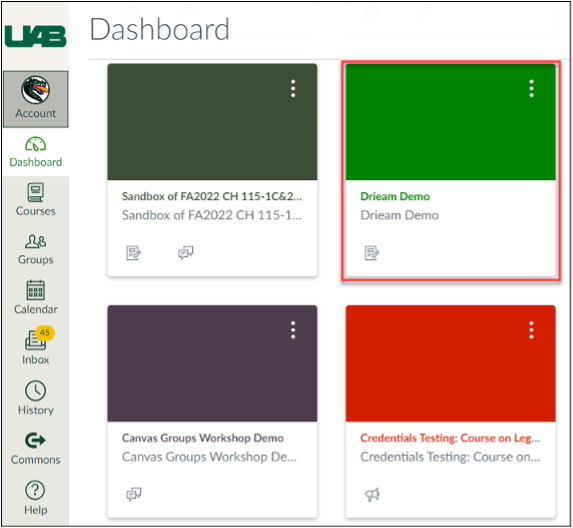
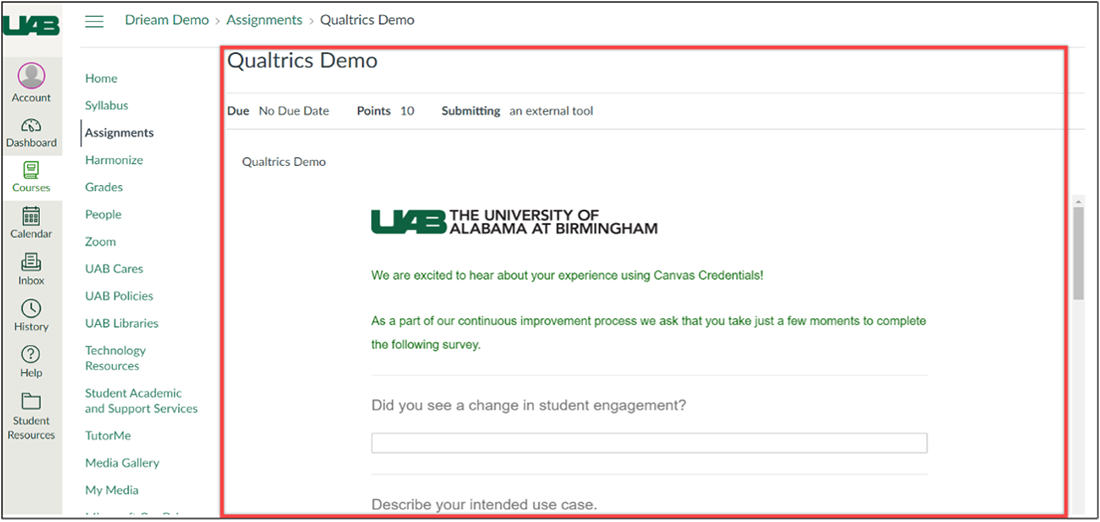
Once you are in your desired course, open the assignment and you will see the Qualtrics survey on the assignment page.
FAQ
Yes, you will need to log into UAB’s Qualtrics portal, create the survey, then add the survey to your Canvas course using Qualtrics LTI.
Yes, you can view your survey assignment in the Speedgrader, like any other Canvas assignment. More information can be found on the How to make the most of the SpeedGrader guide opens a new website.
The survey setting will overwrite the Canvas assignment setting.
The notification feature is optional. The feature allows you to add an announcement and up to five reminders to a survey assignment. Please note: the notification feature does not work in combination with blueprint courses or copied courses or assignments.